Relearning What Support Means by Building an Orange Pi Weather Station
If you've read some of my previous blog posts, you might guess where this is going, so let me just say it outright - this blog is now hosted from five different servers. The newest addition to the pack is another single-board computer: Orange Pi Zero 3.
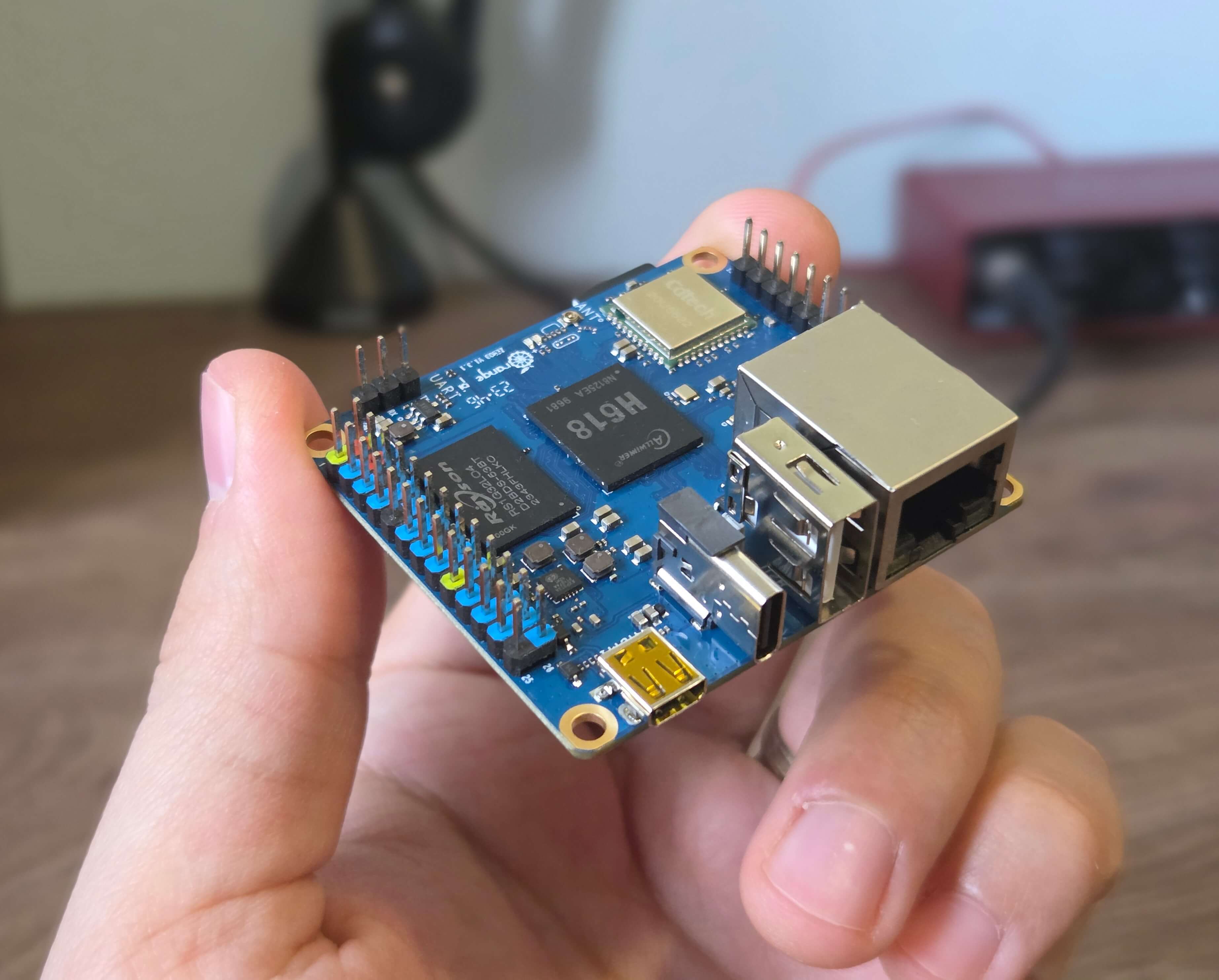
It's part of the same wall-mounted installation that I will write more in detail next week:
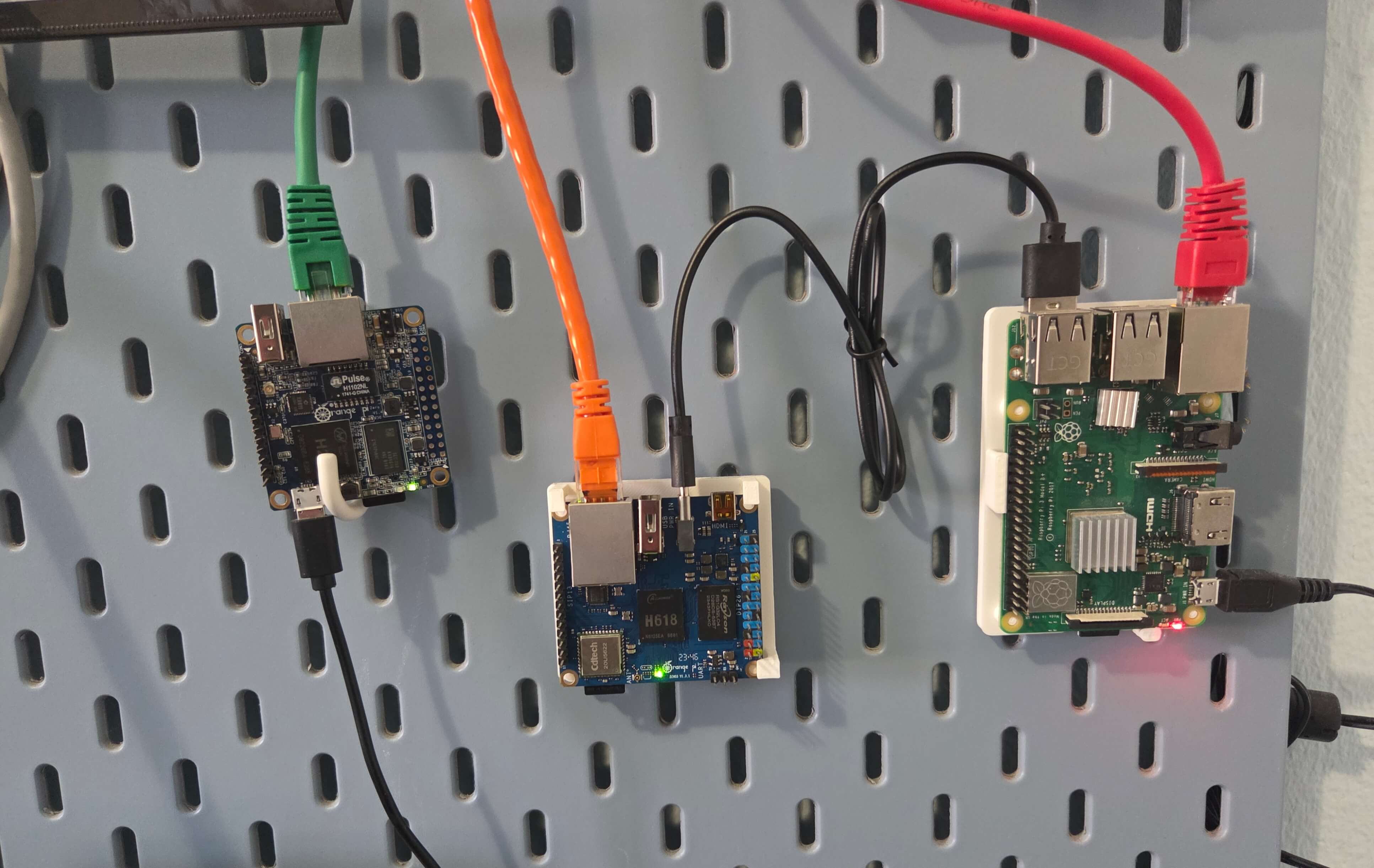
As you can see by the orange cable sticking from it, this means it's hosting the orange version of the blog, which you can notice by the orange color of the links. If they're not, and you really want to see them, try refreshing the page a few times.
I bought this board on a whim during my Raspberry Pi Self-Hosting Experiments, being not exactly happy with some things Raspberry, and wanting to go back to cheaper and simpler Orange Pi boards that I had good experiences with. The first project for this one was to build a small weather station out of it, and let's go see how that ended.
The Good - Energy
I already complained about how fussy Raspberry Pi is regarding its power, and how your only option is to buy an official power supply. This time, I was positively surprised how Orange Pi is the opposite of that.
This thing will work from anything - power bank, USB port, no-name phone chargers with suspicious specs. I even tried powering it from my phone and yes, even that worked fine.
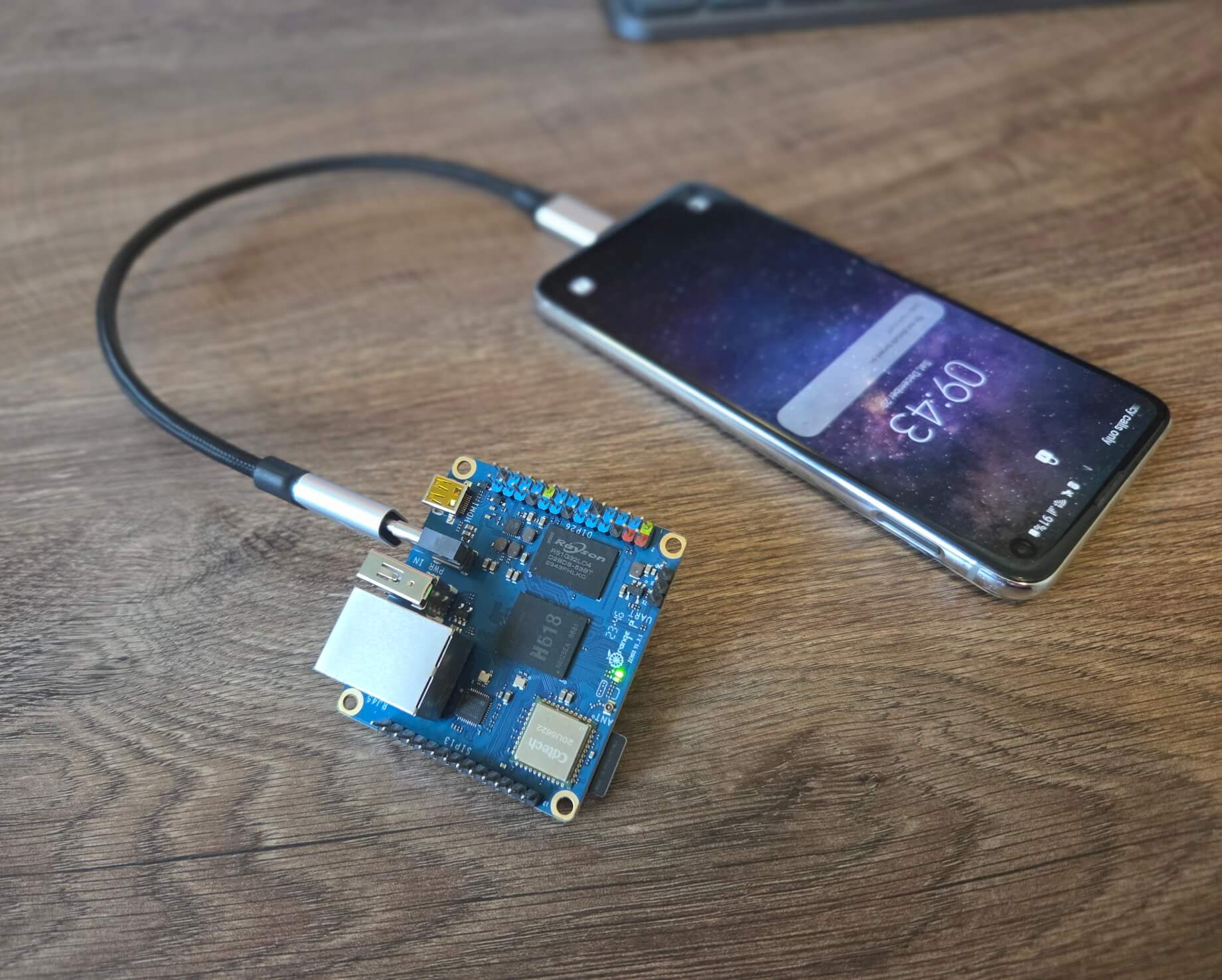
More for the "why not" than because it's practical, for a time it was powered from the Raspberry Pi's USB port.
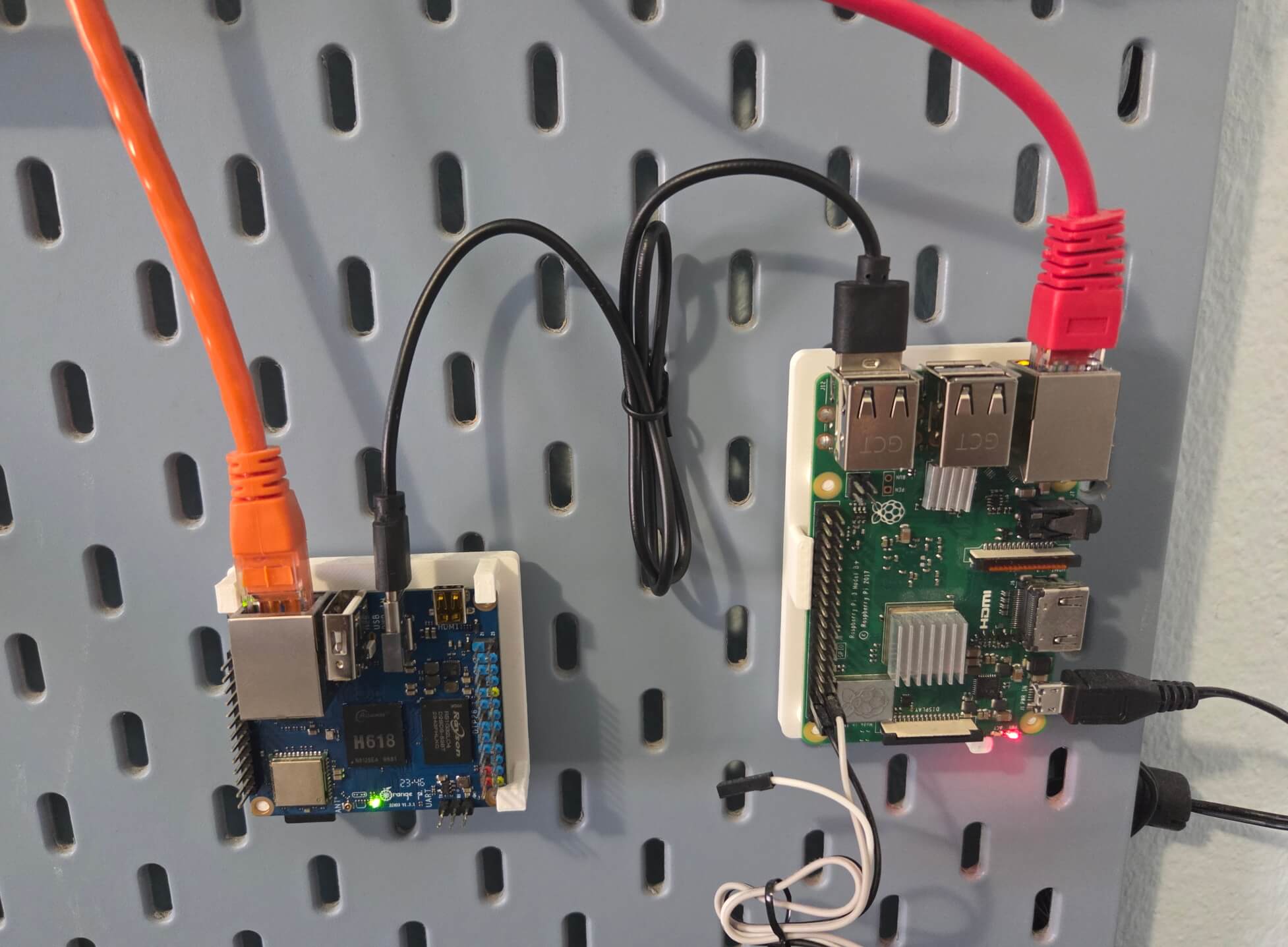
Orange needs about 1.5 W of power to work, which Raspberry gladly offers. Now, it's a bit bizarre that Raspberry was showing undervoltage errors last time when connected to a 15W phone charger, when obviously even with its official 10W power supply it has enough extra power that it can give 1.5W to another device.
Raspberry itself uses 3W, and in total with Orange Pi it reaches 4.5 W, so it really should be possible to power it all of that from a regular phone charger. But like I wrote in that post, apparently that is not the case - Raspberry only works fine with the official power supply. Note that I didn't say charger, because as we learned in that post, power supplies are not chargers.
But Orange Pi has lower standards and just works with whatever you give it, which is pretty good.
The Bad - Support
So let's say you need to choose between two things - one is a better, proven solution, and the other a more alternative, cheaper one - so which one do you pick? I myself always lean to pick a more budget one. Raspberry or Orange, Ubuntu or Debian - they are more or less the same thing, and why take a more complex/expensive thing, when you can settle for the simplest possible one?
Some people might say: "well the proven one has better SUPPORT". And you squint at them with disdain, wonder what does that word even mean. And then you go pick the simpler option, like you always wanted to. It's only later when you come to a first problem that you realize.
For me, I had mold issues in my home office, so I wanted to build a small "weather station" out of this computer. Basically, it's a humidity sensor connected to Orange Pi's GPIO ports, reading the values from it and reporting in case there's an increase in humidity. So, I got a DHT-11 humidity sensor, connected it to ports and started writing code for it.
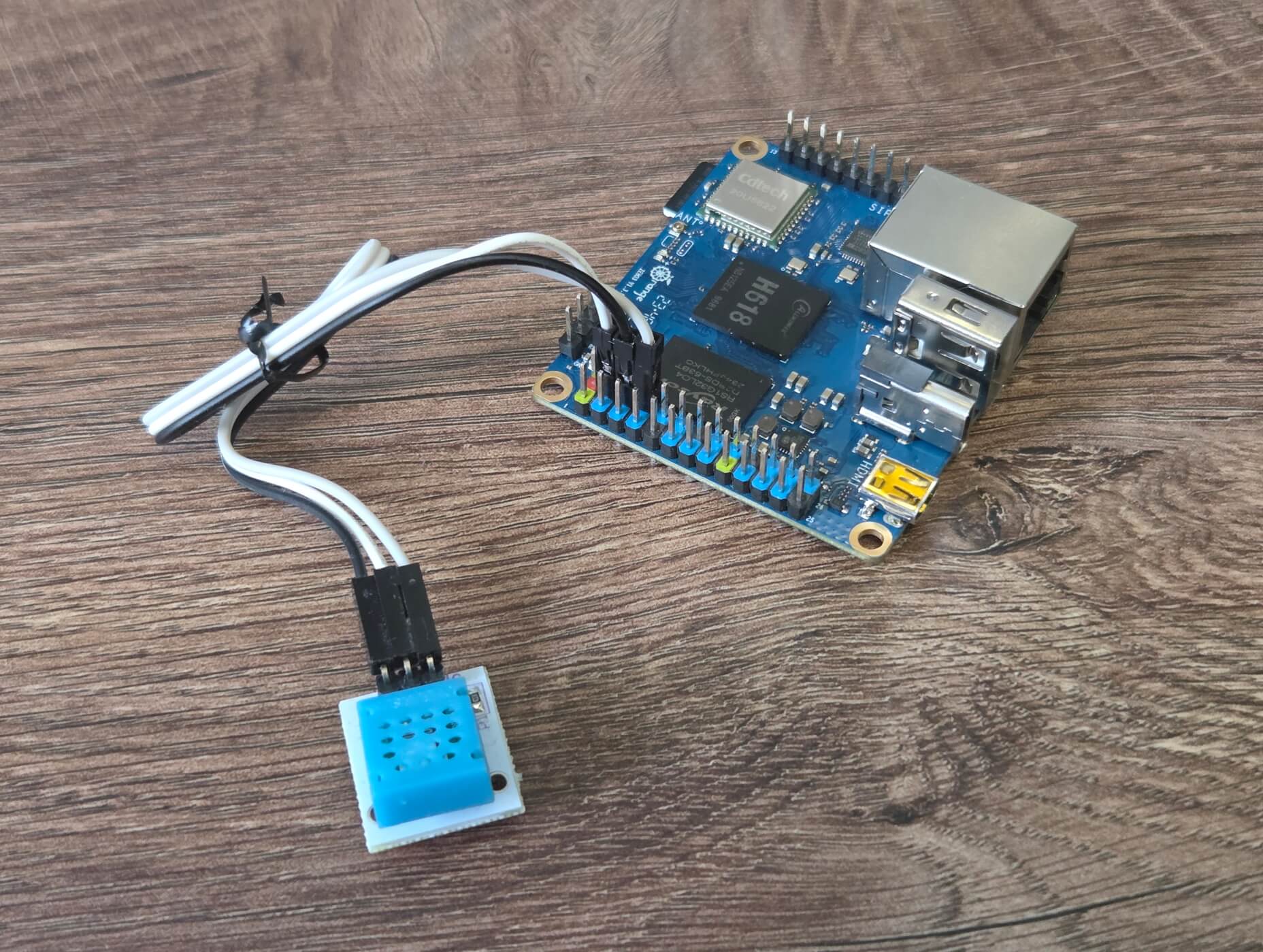
To make this work, first you need to get a low-level library that will allow you to interface with the GPIO pins where the humidity sensor is connected. Good, open source community has got you covered here - you can easily find something which looks reputable, like this repo with around 350 stars on GitHub.
But as you can see in its Issues tab, it simply does not work for the processor that is on this board. Shucks. Then you find a forked repo which adds support for the newer processors. It has two branches, h3 and h5, each corresponding to its CPU version, but alas - it still does not work. Orange Pi Zero 3 has a h6 CPU, and no one's adapted it to work yet.
For a moment you even consider going that route - maybe reverse-engineering the CPU and wiring of the board would not be that complicated? But at that point you realize you are straying too far. I gave up, and then tried the same thing on a Raspberry, and lo and behold, there it just worked from the first tutorial I stumbled on. This is what support means.
Some time later, I got back to it, and I did the craziest thing, something no one does - I opened the official wiki for Orange Pi Zero 3. It's long and messy, obviously written by a developer, it loads exceptionally slowly and doesn't have an SSL certificate. But, it has the exact steps needed to put the GPIO pins to use. In short, it tells you to use the repo with the same name and almost the same number of stars as the one I got, but with the exception that this one is official, and it works.
Well, at least for the basic usages it does. You can read/write values from the pins just fine. But reading values from the humidity sensor is a bit trickier because the data is encoded using pulse-width modulation. So even though you can read if a pin is giving you 0 or 1, the actual number from the humidity sensor is encoded in the speed of pulses from zero to one. And a low-level library doesn't deal with that, you need something more high level.
You can write the code to read the PWM-encoded signal yourself, which would be an interesting challenge, but god damn it that's not why you're here. So you decide you're better off getting a library. DHT-11 is a well-known sensor, so there should exist enough libraries that do all of that work for you.
And then, just not a single one of them worked. I tried some for NodeJS, some for Python, desperate to work with anything, but just nothing worked on the Orange Pi. I gave up again, got back to Raspberry, again picked the first available tutorial and things worked from the first go. Just for posterity, in the end I got it working in Python using the adafruit-circuitpython-dht module. Note that the name of a package says "Adafruit", which is a company selling Raspberries, and apparently also writing software making sure they work.
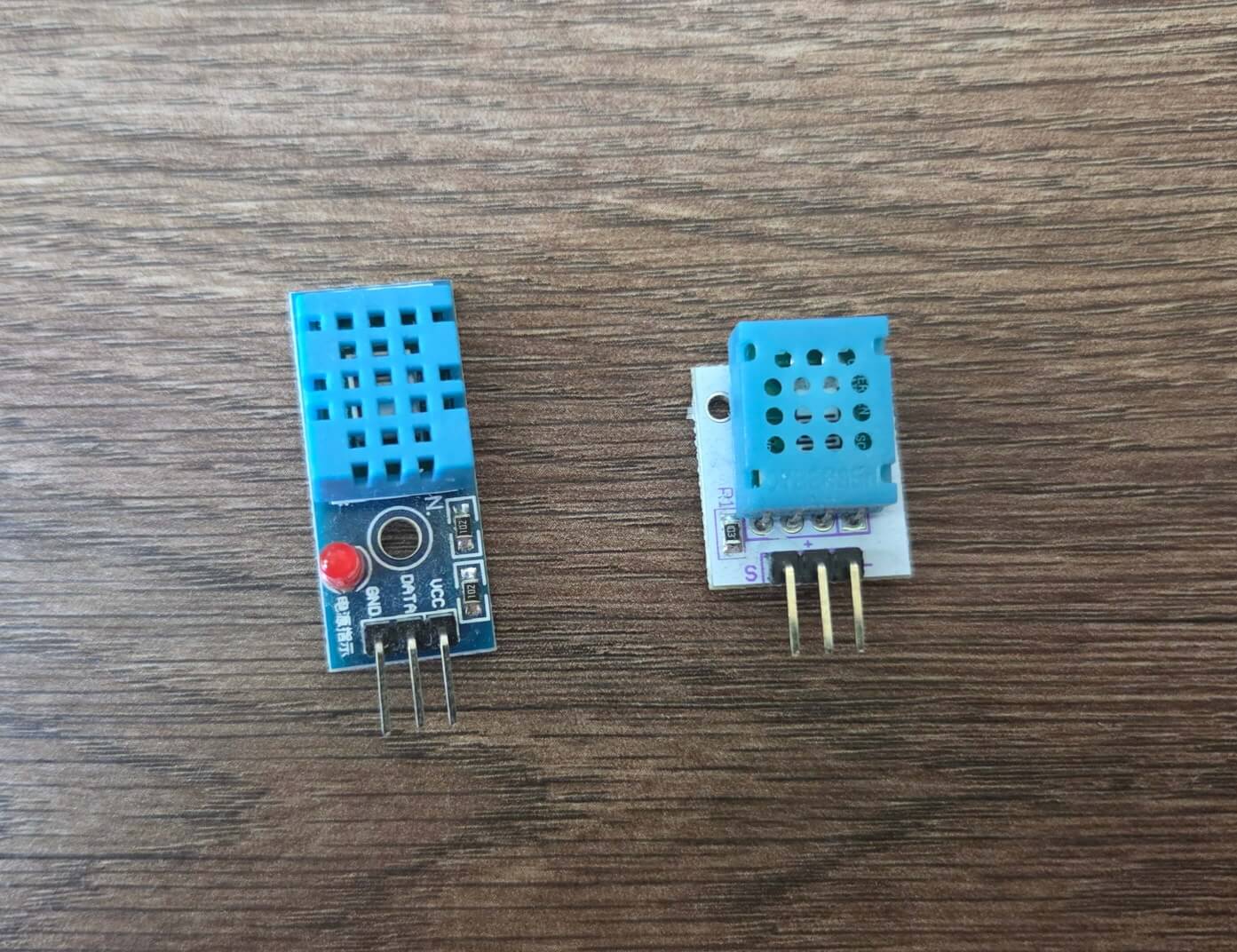
Even with this, the weather station was still not fully working. I kept getting numbers that didn't make sense. I spent a lot of time debugging everything and blaming Raspberry, Orange, and the entire open source community, but in the end it turned out: the humidity sensor was defective. I think I may have yet again picked a cheaper knockoff instead of just getting the real thing. Pictured: 2€ DHT-11 from Aliexpress which doesn't work and 6€ DHT-11 from a reputable local store, which does.
By that time, though, the project was too late to be useful, as I had already solved the mold issues using lot less elaborate technology. But I'll leave that for another blog post.
Worth It?
Although it's not of paramount importance for those kinds of devices, let's mention performance as well. From my testing, the Raspberry and the Orange gave practically the same numbers, even though they're five years apart (Raspberry 3B+ came out in 2018 and Orange Zero 3 in 2023). On Samsung Pro Endurance SD card, read speed is 23 MB/s, write 19 MB/s, and CPU benchmark using sysbench cpu --cpu-max-prime=10000 --threads=4 run gives ~2700 events per second for both of them. I didn't bother checking for anything else except for that, though.
Of course, performance being the same does not mean they're equal. This goes in favour of the Orange, being cheaper, using half as energy and being more available to buy. It's really interesting that even this seven-year-old version of Raspberry Pi still costs this much, some $10 more than this two-year-old Orange Pi. I guess that's the price of support.
But numbers be damned, and just going by the feel, I still kinda like this Orange board. You may get frustrated that some things won't work out of the box and you'll have to spend the effort yourself. But isn't tinkering the point of devices like these?
Computers have gotten a bit boring for me in the last few years (I guess working in tech does that to you), but playing with something non-mainstream like this really brought some fun and hands-on experience back.
I keep thinking this form factor is very interesting. Portable computers, running Linux, taking almost no energy. You could fit it in your pocket, maybe even strap a battery to it so you can host this blog from your pants. Sometimes it feels like there should be some world-changing use case for this. Then I remember that we have smartphones, which are basically the same thing - so maybe that revolution has already happened.
------
If you liked this: